
Part of my SC-500 study series: hands-on labs in a test tenant, one concept at a time.
Goal: Feel how a SAS delegates, scopes, and expires, and what does (and doesn’t) revoke one.
Why this matters#
A SAS is a bearer token: nothing about who you are travels with it, only what it’s scoped to and until when. That’s precisely its risk profile, and it’s the thing this lab is built to make visceral rather than theoretical.
Prerequisites#
- Builds directly on Lock Down a Storage Account End-to-End: same storage account, with public access re-opened to your IP for the tests below
Step 1 - Generate a service SAS#
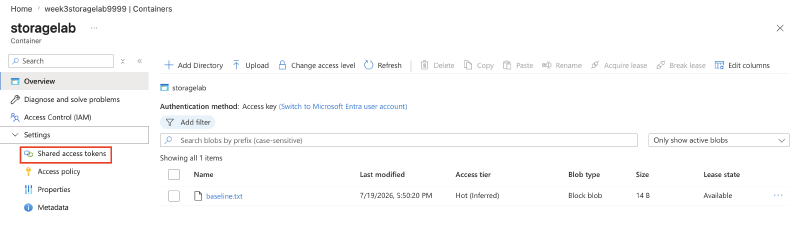
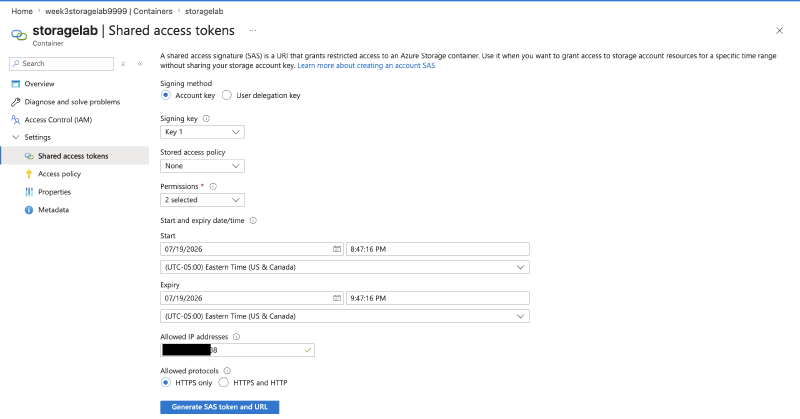
Upload a test blob, then generate a service SAS on the container: read-only, 1-hour expiry, scoped to your IP (portal: container -> Shared access tokens).
Step 2 - Use it with no login at all#
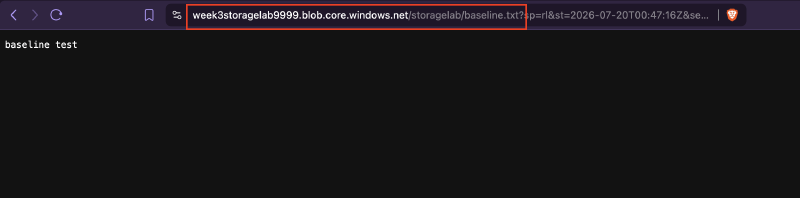
Use the SAS URL from a different tool/machine than the one you’re signed into. A curl request works with no authentication beyond the token itself:
Step 3 - Confirm scope: try a write, expect 403#
Attempt a write using the same read-only token:
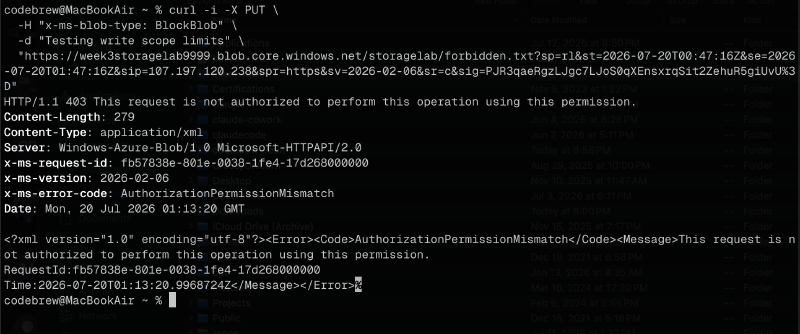
Rejected: the permission scope baked into the token is enforced regardless of who’s holding it.
Step 4 - Generate a user delegation SAS via CLI#
az storage blob generate-sas \
  --account-name week3storagelab9999 \
  --container-name storagelab \
  --name test.txt \
  --permissions r \
  --expiry 2026-07-20T01:25:00Z \
  --auth-mode login \
  --as-user \
  --full-uri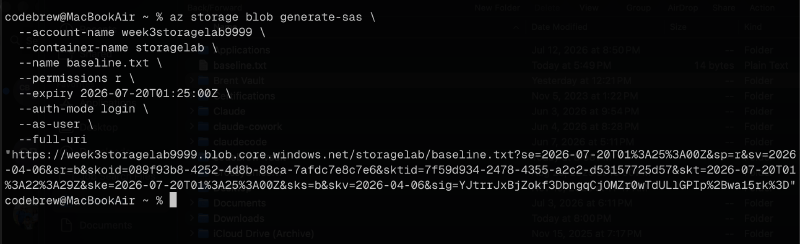
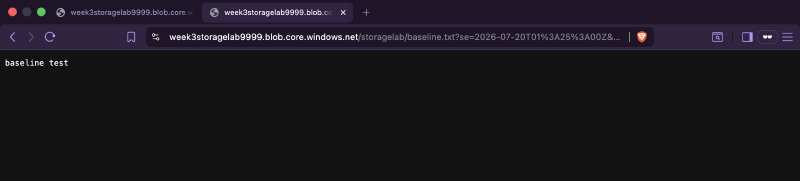
No account key is involved: the token is signed with Entra ID credentials via the delegation key instead. The account used to generate it needs read access to blob storage (e.g. Storage Blob Data Reader):
Step 5 - Watch expiration kill it#
Wait out (or force with a short expiry) the token’s expiration, then hit the same URL again:
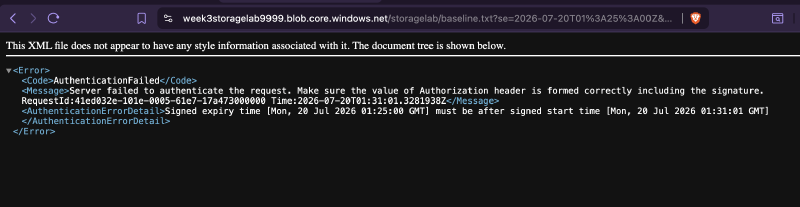
Same URL, now dead: expiration is enforced server-side regardless of whether the client remembers it expired.
Step 6 - Rotate key1 and test revocation#
Rotate the account’s key1, then re-test whether the original service SAS from Step 1 (signed with an account key) still works:
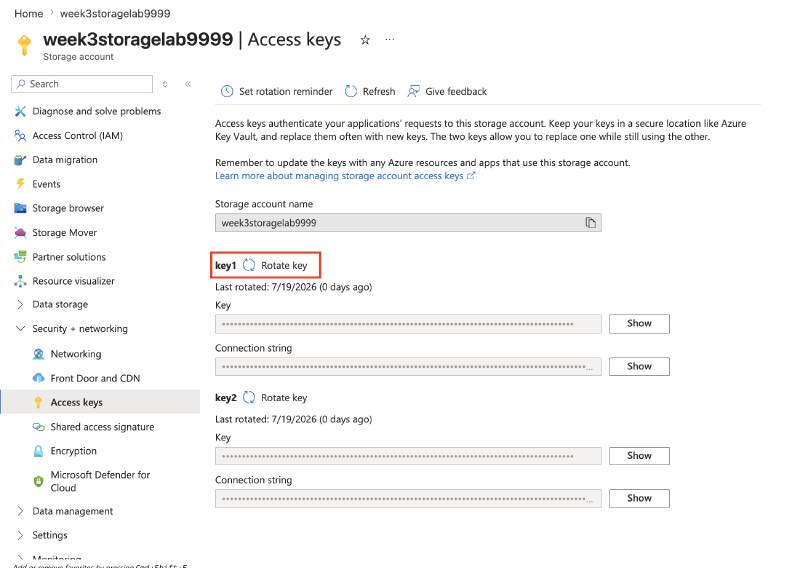
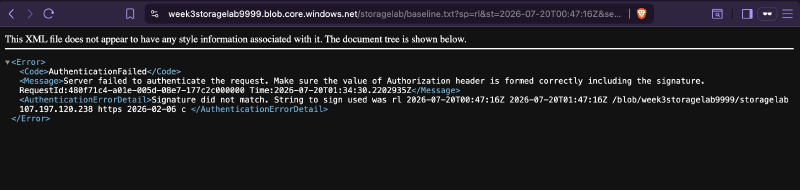
Rotating the key that signed a service SAS invalidates it immediately: that’s the blunt-force revocation option for an account-key-signed token, versus a user delegation SAS which instead dies when the delegation key or the user’s own permission is revoked.
Step 7 - Teardown#
az group delete --name rg-week3-lab --yes --no-waitKey takeaways#
- A SAS carries no identity: anyone holding the string can use it exactly as scoped, which is why “who leaked it” matters more than “who’s using it.”
- Scope (permissions, expiry, IP restriction) is enforced by Azure regardless of which client presents the token.
- Two different revocation mechanisms exist depending on how the SAS was signed: rotate the account key to kill every key-signed SAS at once (blunt), or revoke the user’s Entra permission / delegation key for a user delegation SAS (targeted).
- User delegation SAS is the exam’s preferred type specifically because it never touches an account key: its blast radius on revocation is scoped to one user, not the whole account.
Related labs#
- Lock Down a Storage Account End-to-End is this lab’s environment