
Part of my SC-500 study series: hands-on labs in a test tenant, one concept at a time.
Goal: Build a VM with no public IP, no inbound NSG rules, and no credentials on disk, then have it pull a secret from Key Vault using only its system-assigned managed identity. Finish by proving the read landed in Key Vault audit logs.
Why this matters#
“Secretless” stacks three independent controls: no inbound exposure (no public IP, access through Bastion), no stored credentials (the VM asks IMDS at 169.254.169.254 for a token, so there is nothing on disk to rotate or steal), and Trusted Launch protecting the boot chain underneath both. Each layer fails separately, which is what makes the failures worth screenshotting.
Prerequisites#
- Owner or Contributor plus User Access Administrator on the subscription
- A region where the Bastion Developer SKU is available (otherwise Basic, which bills hourly)
Read this first: a VM with no public IP has no outbound internet either. Default outbound access has been retired, so without a NAT gateway or firewall the VM cannot reach
login.microsoftonline.com, the Key Vault data plane, or apt. IMDS still works, because it is link-local and served by the host fabric, so you get a token and then nothing after it works. That is why Step 2 exists.
Step 1 - Resource group, VNet, and subnet#
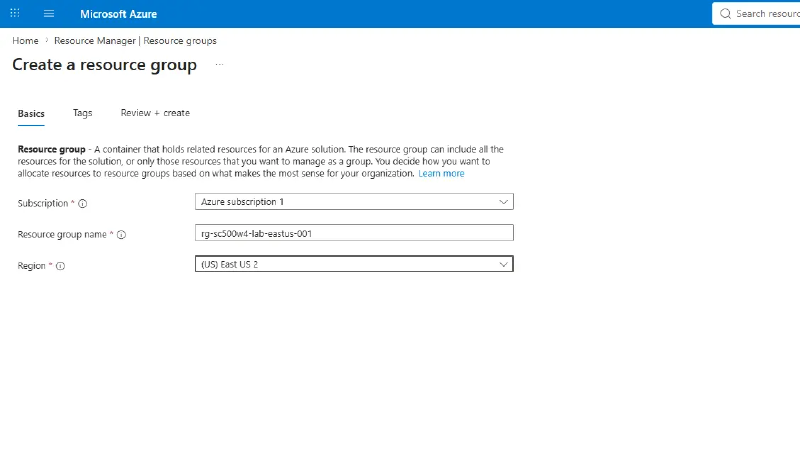
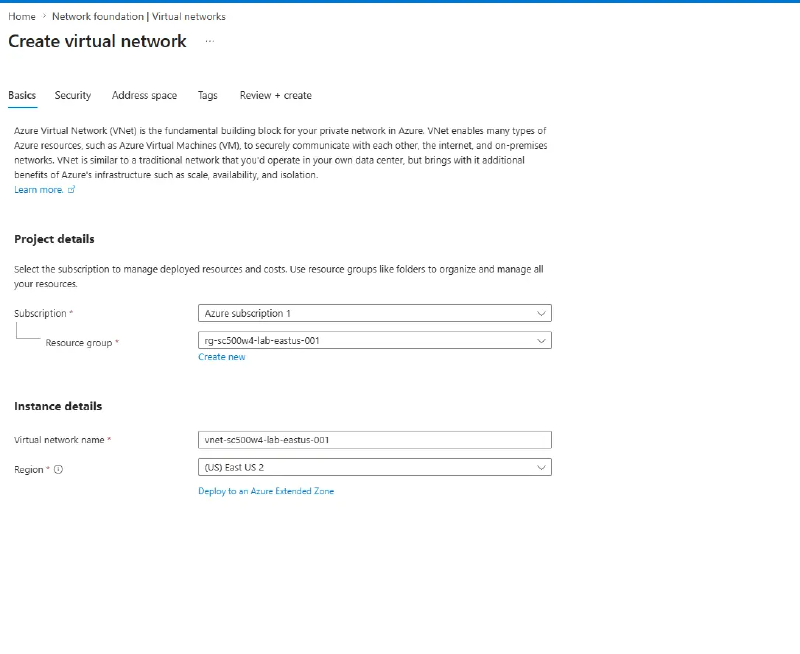
Create resource group rg-sc500w4-lab-eastus-001 and VNet vnet-sc500w4-lab-eastus-001 with address space 10.10.0.0/16.
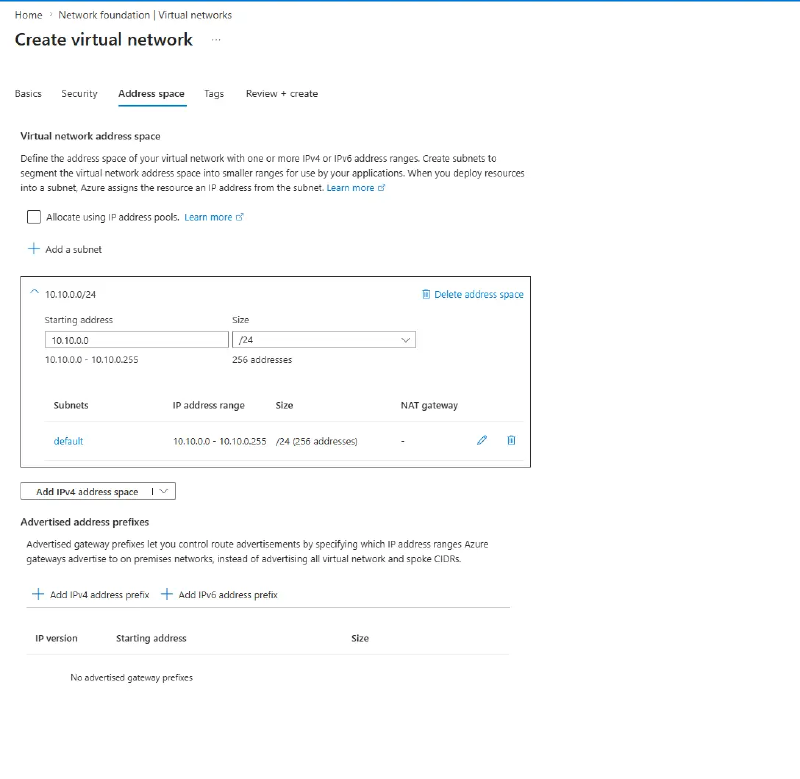
On the IP addresses tab, name the subnet snet-sc500w4-lab-eastus-001 at 10.10.0.0/24 and tick Enable private subnet (no default outbound access). Subnets cannot be renamed later, so set it here.
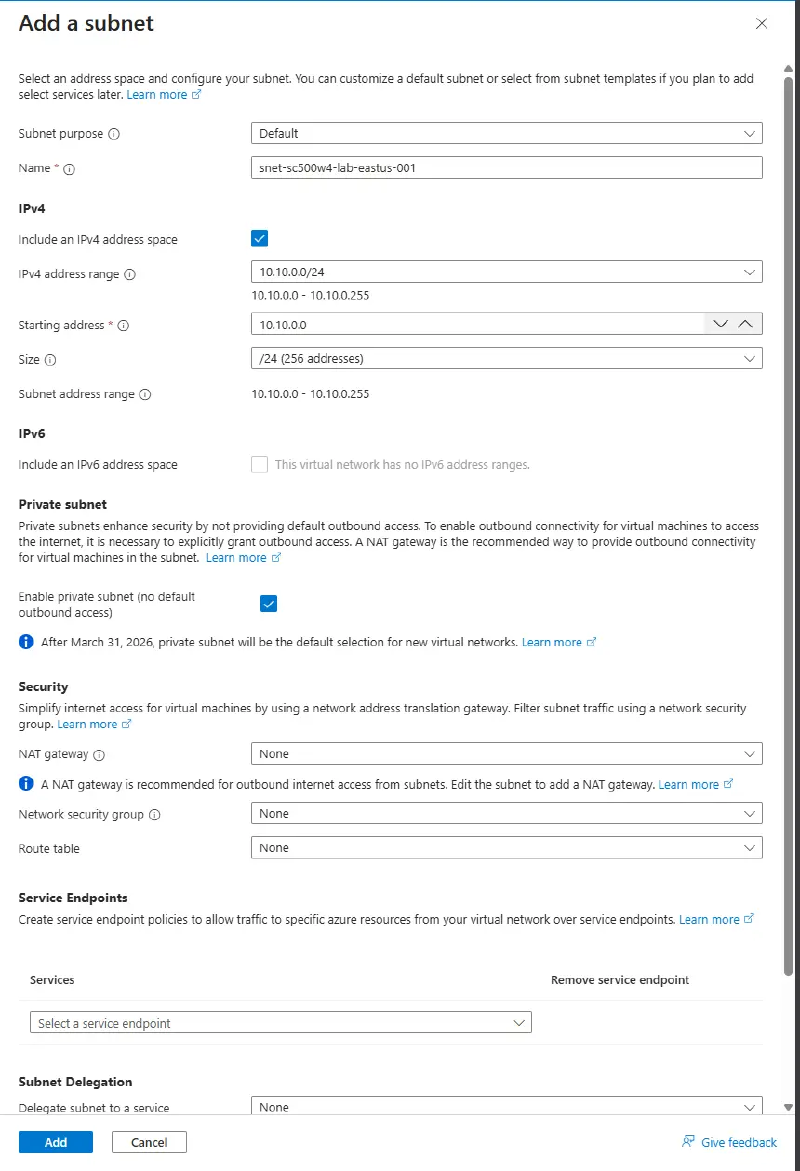
That checkbox is the outbound problem as a setting: no implicit path out, so the VM gets one only from Step 2.
Step 2 - NAT Gateway for outbound#
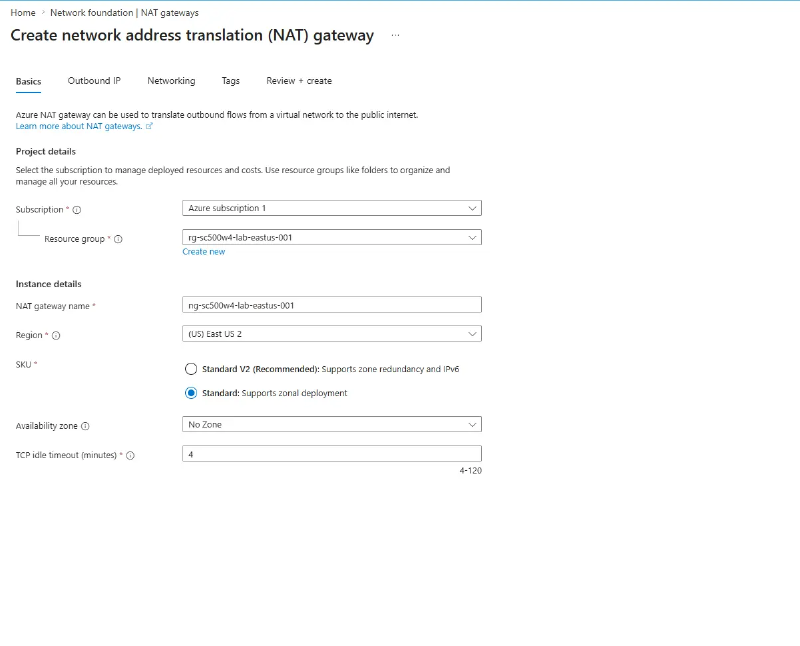
Create the NAT gateway in the same region as the VNet, or the VNet will not appear on the Subnet tab. Availability zone No Zone, since a zonal gateway needs a zonal public IP and cannot be changed later.
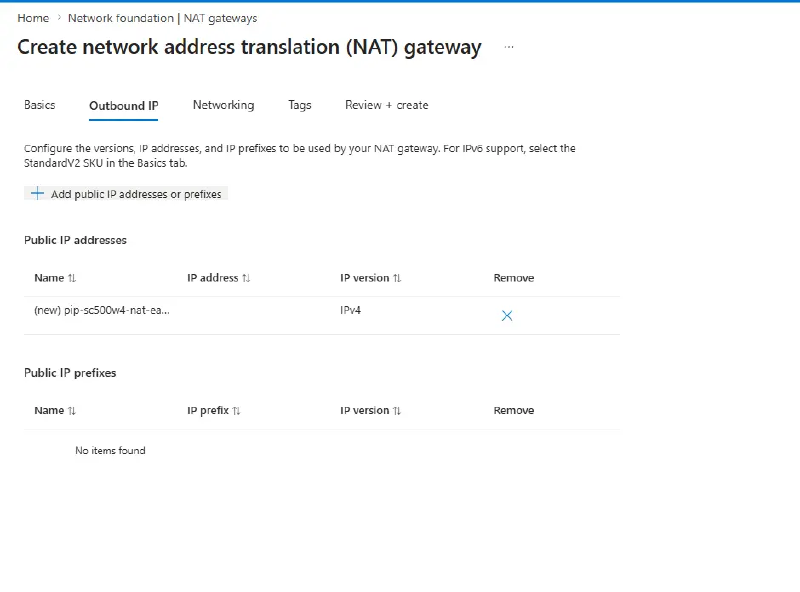
Create a new public IP for it. The SKU is locked to Standard and Static, so a pre-created Basic IP will not show in the dropdown.
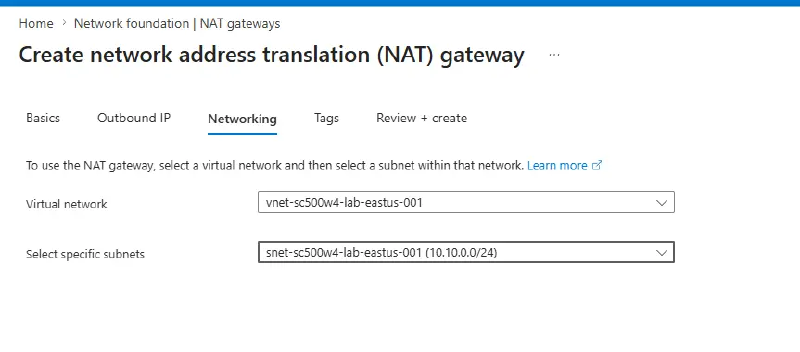
On the Subnet tab, tick only the workload subnet.
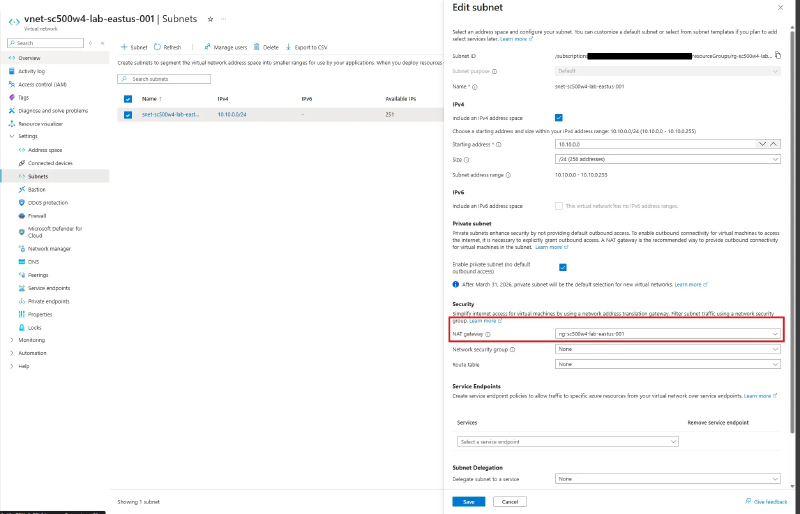
Verify the association from the subnet side, not the gateway. The gateway looks healthy either way, and a miss does not surface until the CLI install hangs in Step 6.
Step 3 - Deploy the VM#
Ubuntu Server Gen2 (Trusted Launch requires Gen2; if the security type dropdown will not offer it, the image is Gen1), security type Trusted launch, public inbound ports None, public IP None, and system assigned managed identity on under Management.
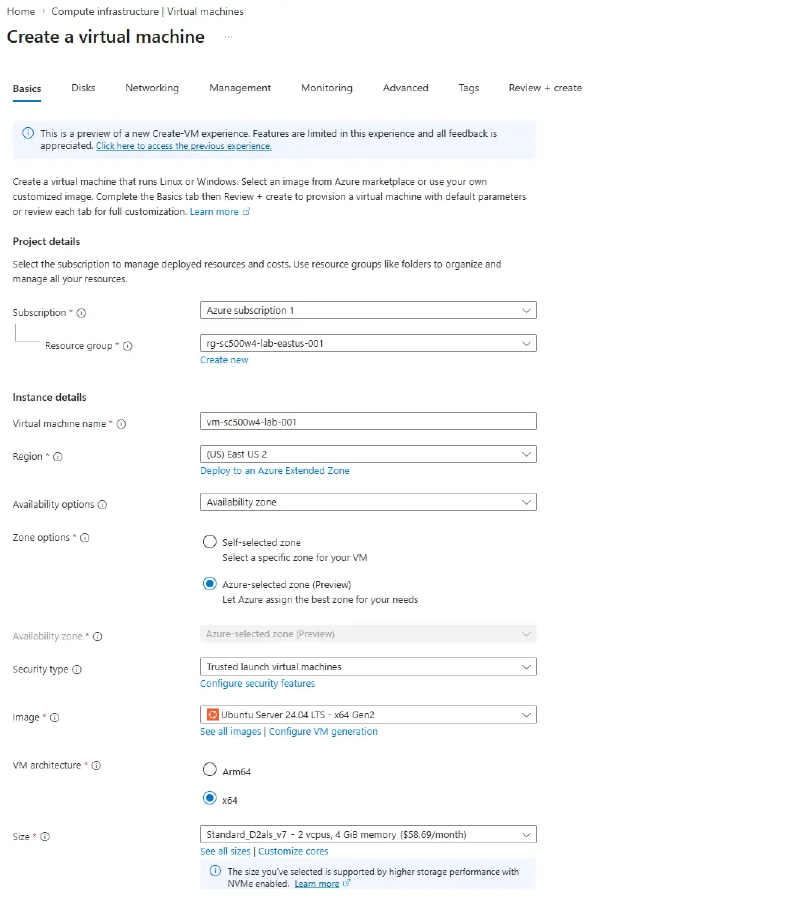
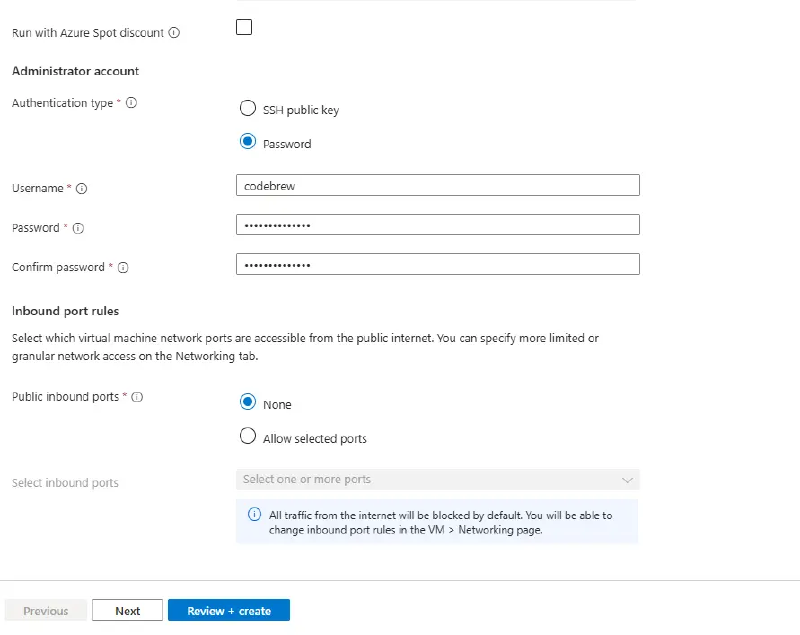
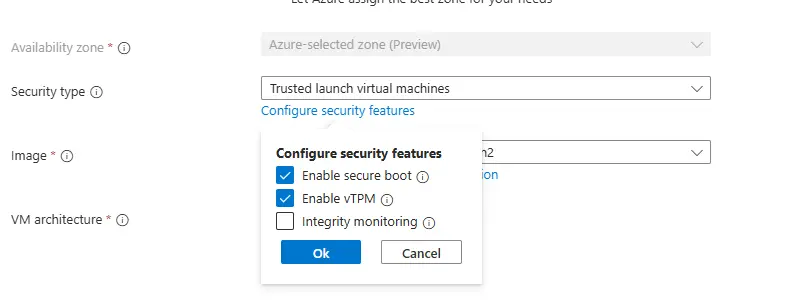
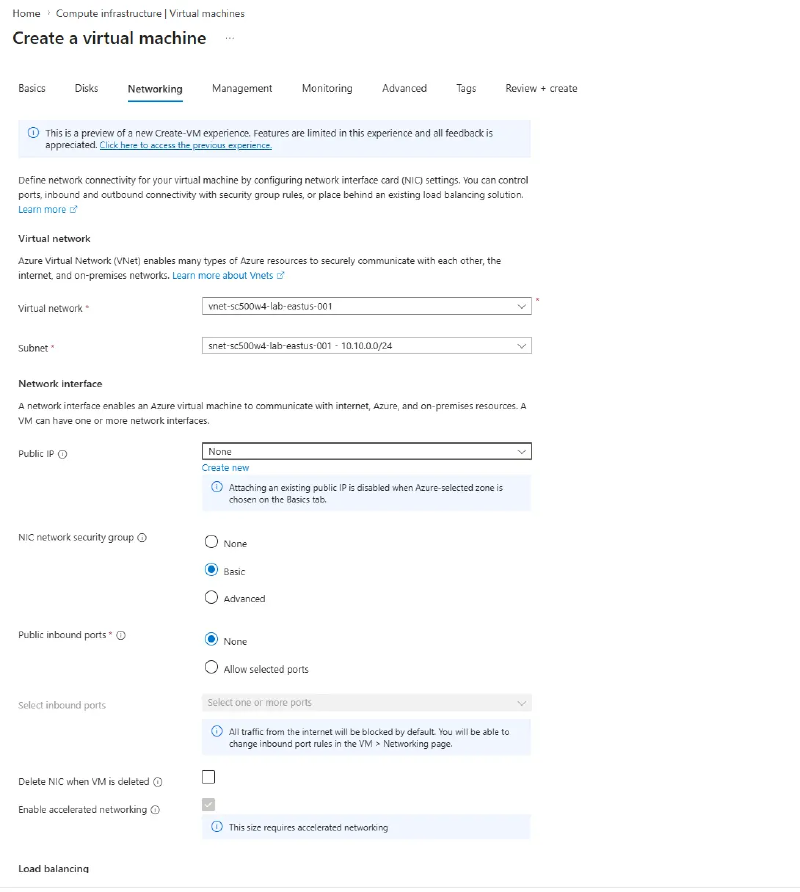
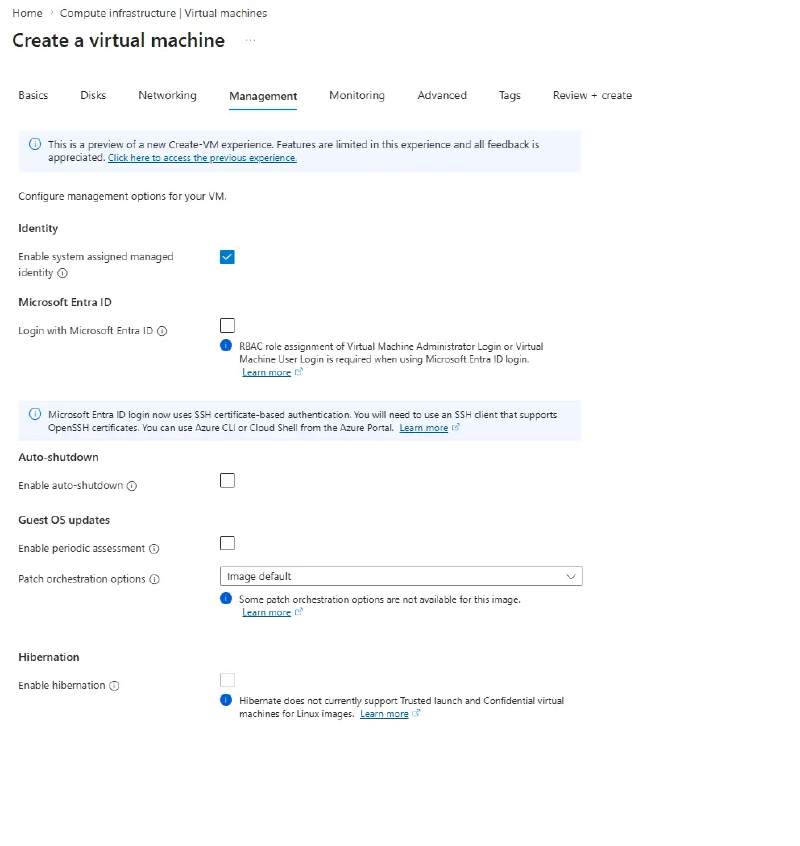
Why a password on a “secretless” VM? The admin credential never crosses the internet and the workload never uses it. There is no inbound path, so the only way in is Bastion. “Secretless” here means the VM holds no credential for Key Vault, which is the managed identity’s job in Step 6.
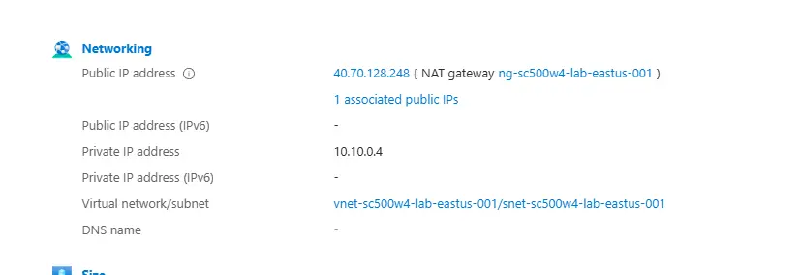
The Overview blade’s Public IP address field shows the NAT gateway’s address, which is the subnet’s shared SNAT address rather than one on this VM. The NIC is authoritative: its IP configuration shows no public IP.
Copy the identity’s principal ID from Identity for Step 5.
Step 4 - Key Vault and a test secret#
Create kv-sc500w4-lab-001 with purge protection disabled (it cannot be turned off later, and it blocks cleanup), and access configuration set to Azure RBAC rather than vault access policies.
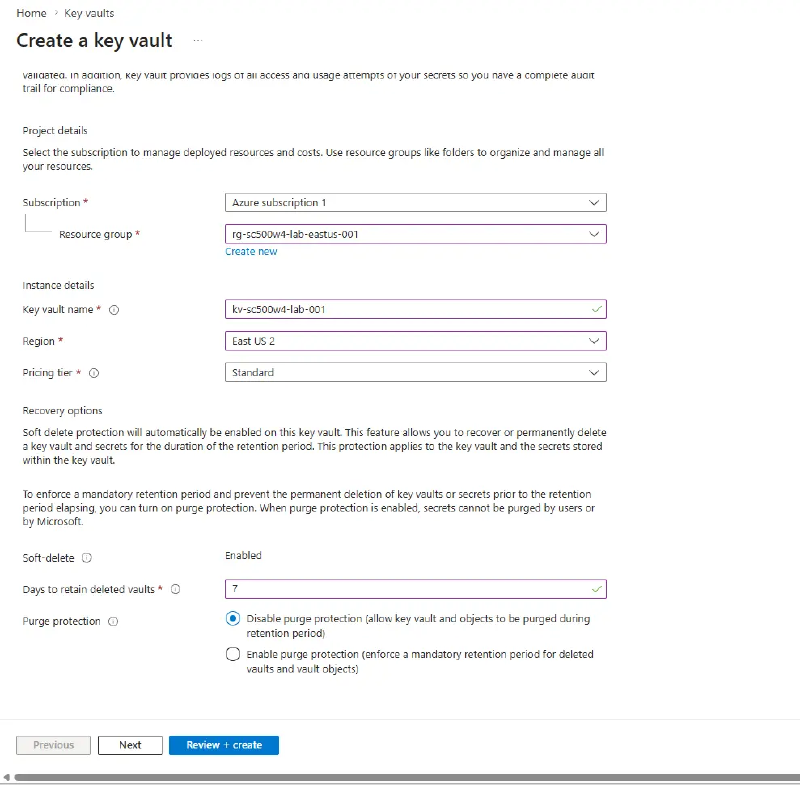
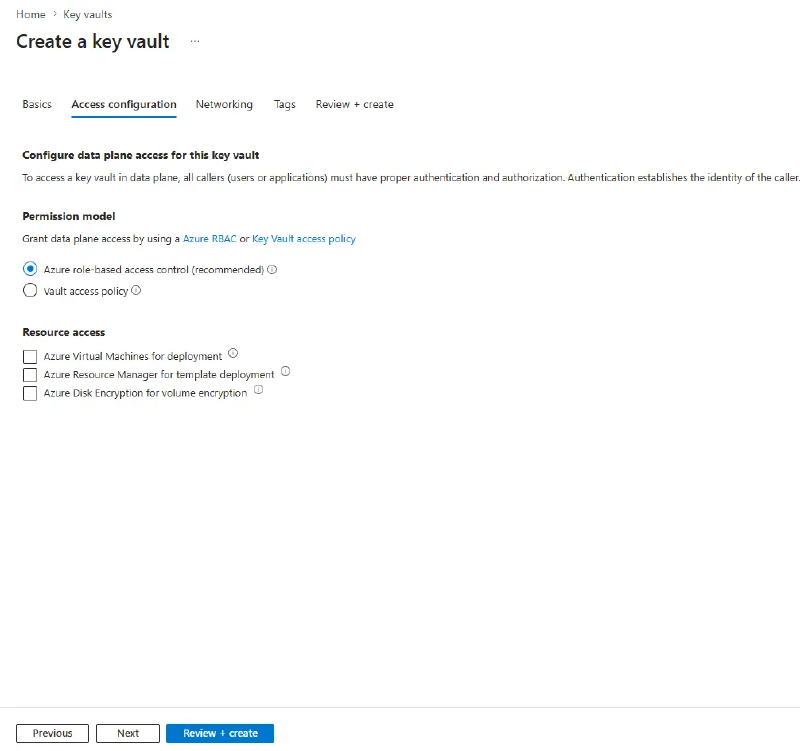
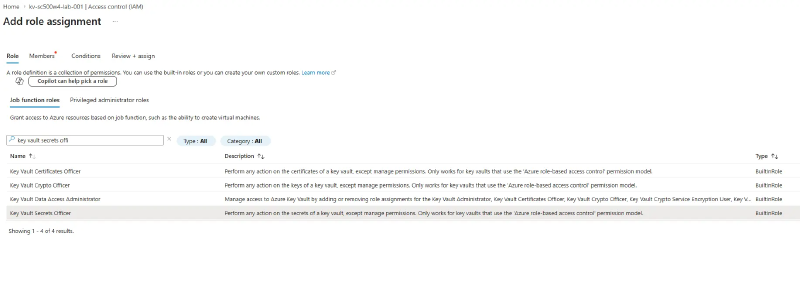
Try creating a secret before granting yourself anything: as subscription Owner you get a data-plane Forbidden. Owner is control plane. It can delete the whole vault but not read one secret out of it. Then assign yourself Key Vault Secrets Officer on the vault and wait a minute for propagation.
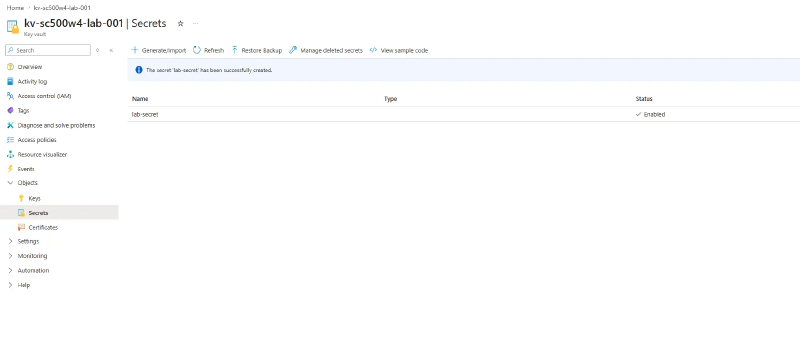
Create a secret named lab-secret with any recognizable value.
Step 5 - Grant the VM’s identity access#
Add a second role assignment, Key Vault Secrets User, but on the Members tab choose Managed identity → Virtual machine. The identity does not appear under “User, group, or service principal”.
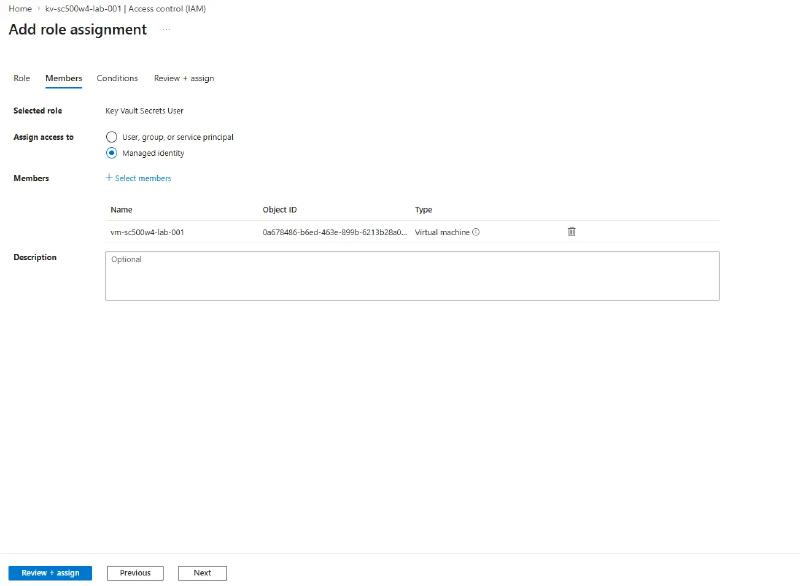
Confirm the object ID matches the one from Step 3.
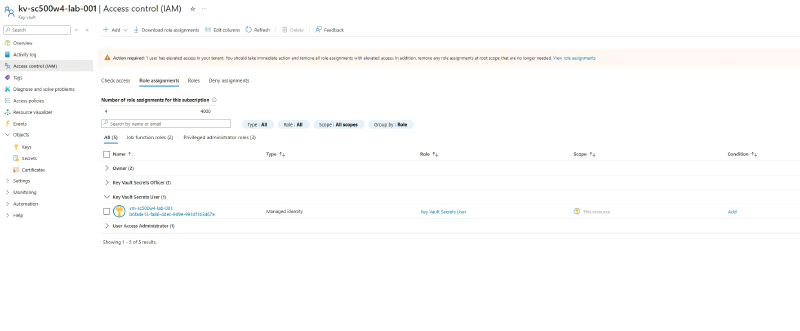
The roles to know apart: Secrets User reads values, Secrets Officer is full CRUD on secrets, Reader sees names but not values, and Contributor manages the vault resource with no access to its contents at all.
Step 6 - Pull the secret with the managed identity#
Connect through Bastion. The Developer SKU is a shared regional service, so there is no AzureBastionSubnet and no Bastion public IP in your VNet.
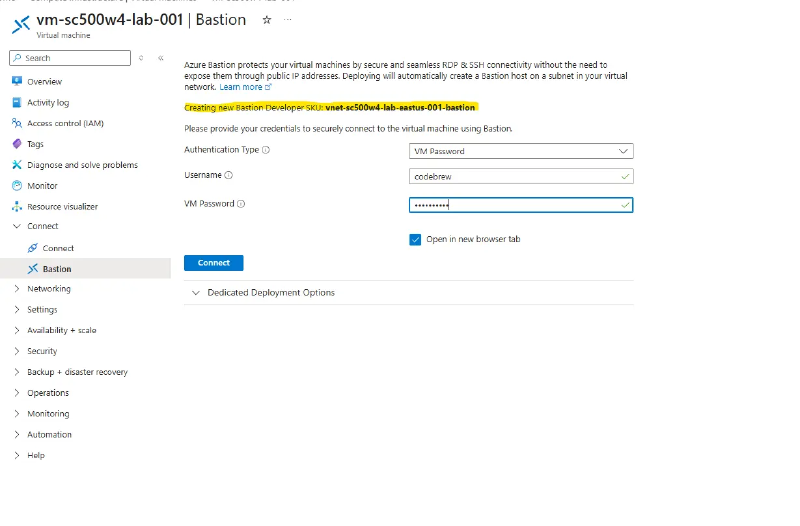
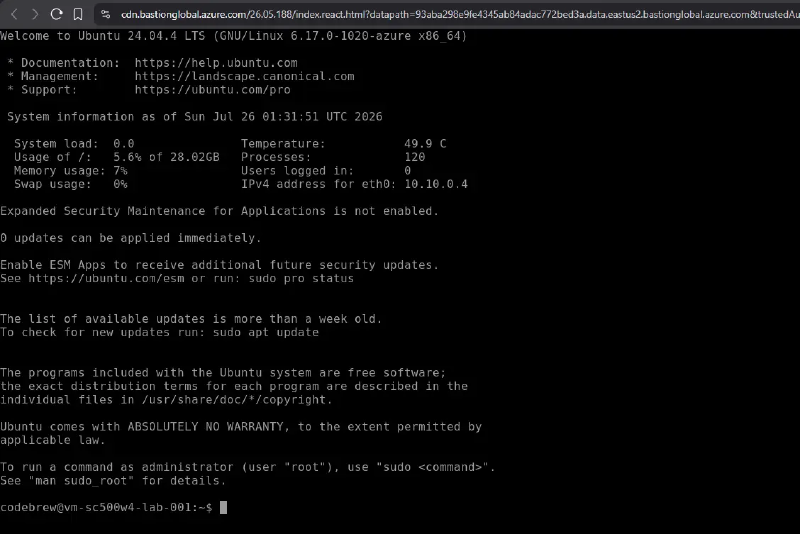
ip -4 addr show inside the session returns only the private 10.10.0.x address. Ask IMDS for a Key Vault token:
curl -s -H "Metadata: true" "http://169.254.169.254/metadata/identity/oauth2/token?api-version=2018-02-01&resource=https%3A%2F%2Fvault.azure.net"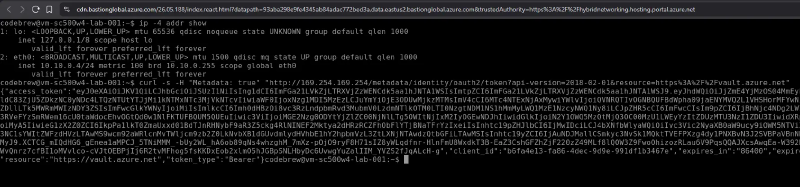
Paste the JWT into jwt.ms and the oid claim matches the VM’s principal ID. Install the CLI (this is the step that needs the NAT gateway), then log in and read:
curl -sL https://aka.ms/InstallAzureCLIDeb | sudo bash
az login --identity
az keyvault secret show --vault-name kv-sc500w4-lab-001 -n lab-secret --query value -o tsv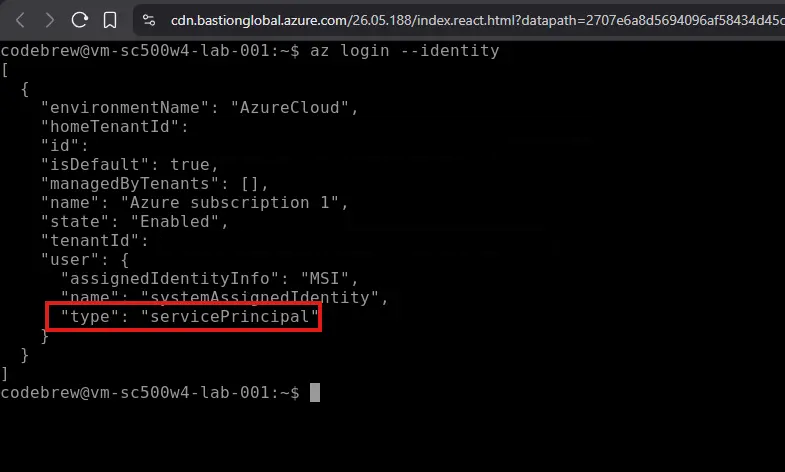

No password typed, no key file copied, no service principal secret anywhere.
Negative test#
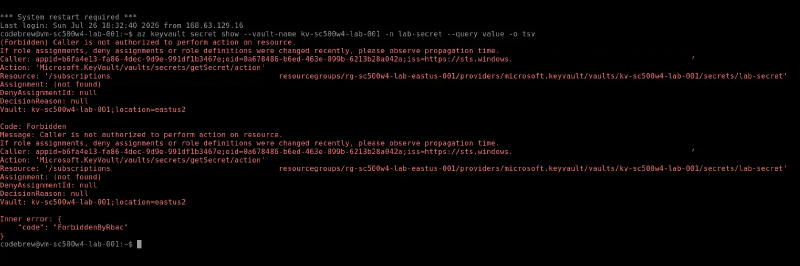
Remove the Secrets User assignment, wait a minute, and re-run the read in the session you already have.
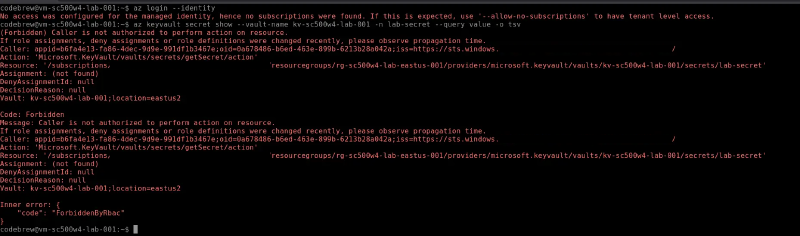
The error names the caller by oid and reports Assignment: (not found). Key Vault could only resolve that oid from a valid token, so this is an authorization failure, not an authentication one. IMDS still issues tokens with the role gone, since issuance involves no RBAC:
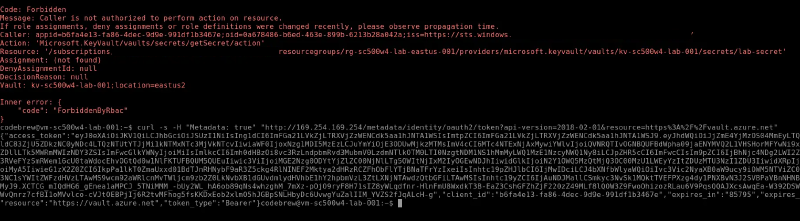
Stay in the existing session rather than re-running az login --identity, which reports “no subscriptions found” once the identity has nothing to enumerate. Re-add the role before Step 7.
Step 7 - Audit logs to Log Analytics#
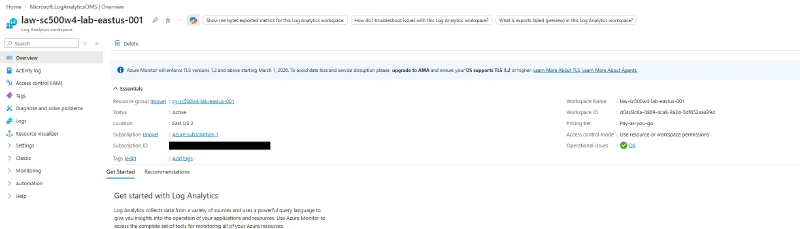
Create a workspace in the same region as the vault.
Add a diagnostic setting on the Key Vault (settings live on the source resource, not the workspace), ticking the specific Audit Logs category rather than the allLogs or audit category groups, whose membership changes over time.
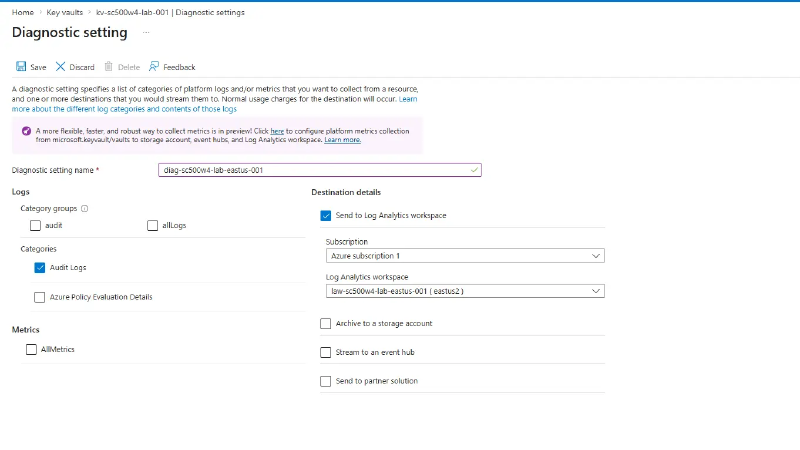
Create this from the CLI. The Destination table selector that chooses resource-specific mode is frequently missing from this blade for Key Vault, and saving without it silently defaults to legacy mode: events land in
AzureDiagnostics,AZKVAuditLogsis never created, and you find out half an hour later staring at an empty table.
az monitor diagnostic-settings create --name diag-sc500w4-lab-eastus-001 --resource "$(az keyvault show -g rg-sc500w4-lab-eastus-001 -n kv-sc500w4-lab-001 --query id -o tsv)" --workspace "$(az monitor log-analytics workspace show -g rg-sc500w4-lab-eastus-001 -n law-sc500w4-lab-eastus-001 --query id -o tsv)" --export-to-resource-specific true --logs '[{"category":"AuditEvent","enabled":true}]'Confirm the mode before waiting on ingestion. Dedicated is resource-specific; empty is legacy.

Diagnostic settings are not retroactive, so generate fresh reads from the VM, then wait 5 to 15 minutes. AZKVAuditLogs will not appear in the schema browser until the first rows land.
AZKVAuditLogs
| where OperationName == "SecretGet"
| project TimeGenerated, HttpStatusCode, CallerIpAddress,
          oid = tostring(Identity.claim.oid),
          appid = tostring(Identity.claim.appid),
          callerVm = tostring(Identity.claim.xms_mirid)
| order by TimeGenerated desc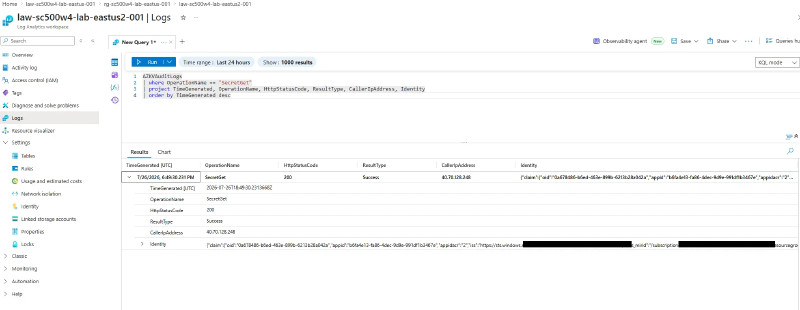
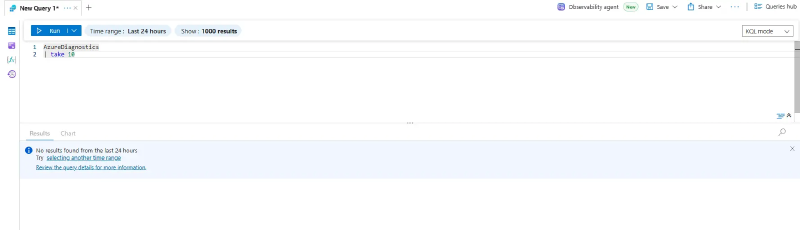
oid matches the principal ID and the JWT claim, xms_mirid is the calling VM’s full resource ID, and CallerIpAddress is the NAT gateway, since the request arrives SNAT’d. AzureDiagnostics | take 10 returning nothing is the proof you picked resource-specific correctly.
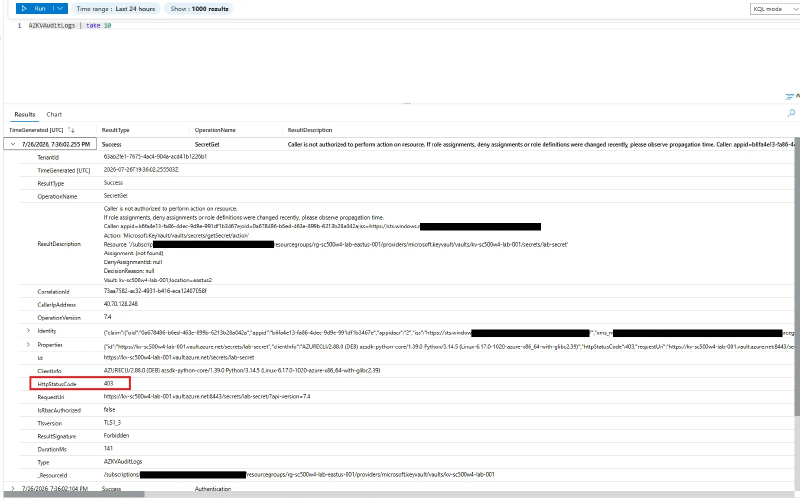
Remove the role assignment once more, attempt the read, and query again. The denial lands as a 403 beside the earlier 200 rows: same identity, same operation, different outcome.
If nothing arrives, wait the full 30 minutes before troubleshooting, then check that the setting is resource-specific rather than legacy.
Cleanup#
az group delete -n rg-sc500w4-lab-eastus-001 --yes --no-wait. Role assignments scoped inside go with it. The vault and workspace soft-delete and hold their names, so purge them if you plan to rebuild soon.
Key takeaways#
- Managed identity removes the credential, not the authorization decision. A
ForbiddenByRbacerror that names the caller’soidis proof authentication succeeded, because only an authenticated request can be attributed. - Key Vault in RBAC mode enforces control plane and data plane separately. Subscription Owner does not imply secret read access.
- No public IP is not the same as no internet, and inbound reachability is not the same as outbound connectivity. A VM behind a NAT gateway shows a public IP on its Overview blade while having none on its NIC.
- Resource-specific diagnostic mode is a routing choice made at configuration time, and it is easy to get wrong silently.
AzureDiagnosticsstaying empty is how you know it worked. - Diagnostic settings live on the source resource, are never retroactive, and log denials as well as successes. The 403 beside the 200 is most of their detection value.
Related labs#
- Lock Down a Storage Account End-to-End for the private endpoint and split-horizon DNS pattern
- Key Vault Defense in Depth and Policy Enforcement separates the three ways a vault can refuse you
- Defender for Cloud: What the Free Tier Actually Gives You grades the resources this lab built